Updating Firmware via CamExpert
The CamExpert File Access tool allows quick firmware changes or updates, when available for your Genie Nano 10G model.
You can download new firmware from the Genie Nano 10G product page (Ressources & Support > Software & Firmware) on the Teledyne Vision Solutions website.
To update firmware
-
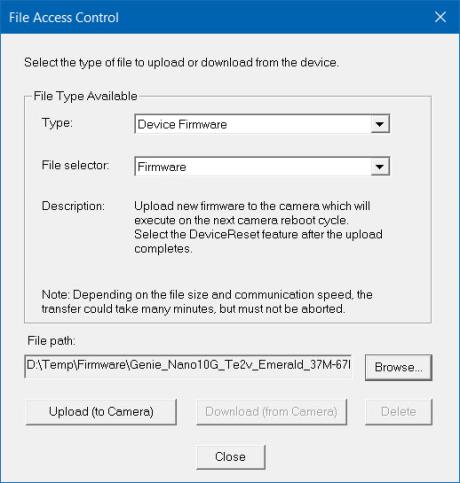
In the File Access Control category, click Setting next to Upload/Download File. The File Access Control dialog opens.
-
From the Type list, select Device Firmware.
-
From the File Selector list, select Firmware.
-
Click Browse to select the firmware file from the system drive or from a network location.
-
Click Upload (to Camera) to execute the file transfer to the camera.
-
Reset the device when prompted.
 ©
©