Cropping
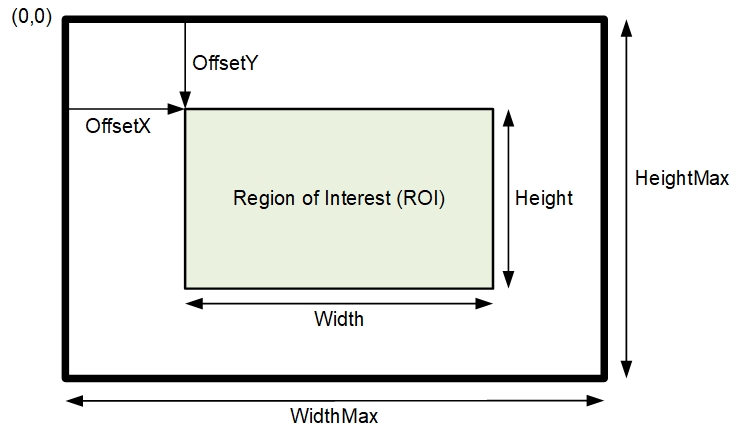
Width and Height controls, along with their respective offsets, allow the device to grab a single region of interest (ROI) within the full image frame. Besides eliminating post acquisition image cropping done by software in the host computer, a windowed ROI grab reduces the bandwidth required on the Gigabit Ethernet link since less pixels are transmitted.
Vertical Cropping
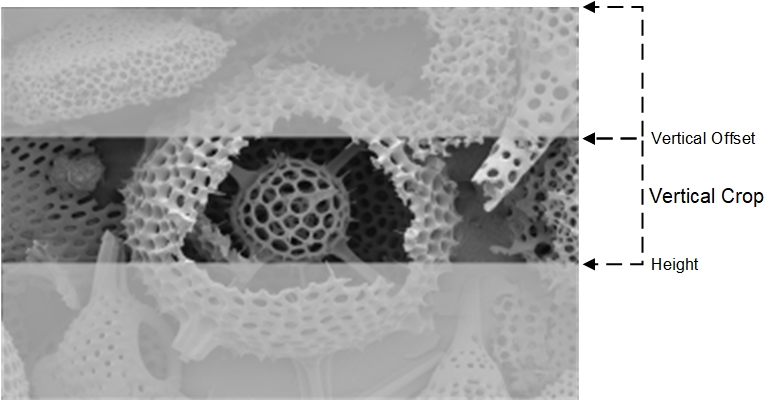
The Height and Vertical Offset (OffsetY) features, used for vertical cropping, reduce the number of lines grabbed for a frame. By not scanning the full height of the sensor, the maximum possible acquisition frame rate is proportionately increased, up to the model maximum.
The following figure is an example of a partial scan acquisition using both Height and Vertical Offset controls. The Vertical Offset feature defines at what line number from the sensor origin to acquire the image. The Height feature defines the number of lines to acquire (to a maximum of the remaining frame height). Note that only the partial scan image (ROI) is transmitted to the host computer.
| NOTE |
|---|
|
In general, using short exposures at high frame rates will exceed the maximum bandwidth to host transfer speed, when the camera buffer memory is filled. The table below (for different Genie Nano 10G models) describes frame rate maximums written to internal memory that can be sustained during continuous acquisition. Increase the exposure time, decrease the frame rate, or acquire a limited number of frames, so as to not exceed the transfer bandwidth. |
Maximum Frame Rate Examples
The following tables provide the maximum frame rates for different partial scan sizes using free-running mode (internal trigger) with the minimum exposure time (Standard Design Firmware).
|
Vertical Lines Acquired |
M/C6200 |
M/C8200 |
|---|---|---|
|
5420 |
N/A |
31 |
|
4504 |
39 |
38 |
|
3008 |
58 |
56 |
|
2176 |
80 |
78 |
|
2056 |
85 |
82 |
|
1536 |
113 |
110 |
|
1024 |
169 |
164 |
|
768 |
223 |
217 |
|
512 |
330 |
322 |
|
384 |
434 |
423 |
|
256 |
634 |
618 |
|
128 |
1170 |
1144 |
|
64 |
2028 |
1988 |
|
32 |
3205 |
3154 |
|
16 |
4504 |
4464 |
|
8 |
5681 |
5617 |
|
4 |
7299 |
6451 |
Horizontal Cropping
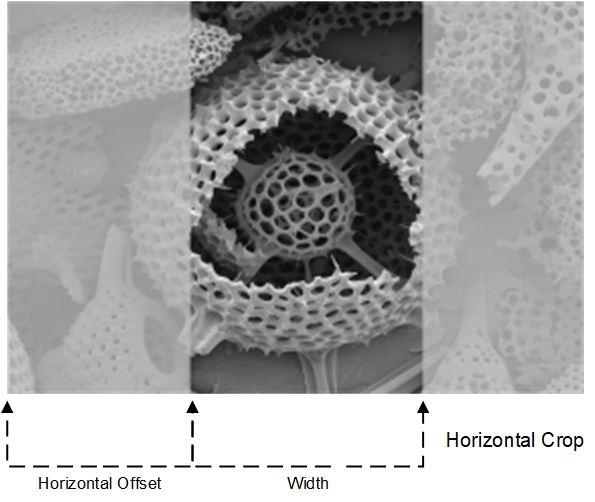
The device supports cropping the acquisition horizontally by grabbing less pixels on each horizontal line. Horizontal Offset (OffsetX) defines the start of the acquired video line while the Width defines the number of pixels to acquire. Horizontal control features have the following independent constants:
-
Horizontal Offset is limited to pixel increment values of 64 to define the start of the video line.
-
Horizontal Width decrements from maximum in pixel counts of 64 (that is, the video width is in steps of 64 pixels).
 ©
©