Power-up Configuration
The Power-up Configuration dialog allows you to choose the camera configuration to load when the camera is powered or reset. You can also save the camera configuration in a user set in the camera, and choose to load any previously saved user set any time after a power-up. The number of user sets that can be saved is device dependent.
You can open the Power-up Configuration dialog by selecting Camera Information > Power-up Configuration in CamExpert.
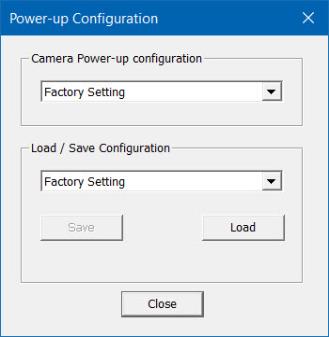
Power-up Configuration
The first list allows the user to select the camera configuration state to load on power-up (see Camera Information > Power-up Configuration Selector). The user chooses from one factory data set or one of two possible user-saved sets.
Load / Save Configuration
The second list allows the user to change the camera configuration any time after a power-up (see Camera Information > User Set Selector).
-
To reset the camera to factory configuration, select Factory Setting and click Load.
-
To save the current camera configuration, select UserSet 1 or UserSet 2 and click Save.
-
To restore a previously saved configuration, select a user set and click Load.
 ©
©