Extracting Metadata Stored in a Sapera Buffer
The Sapera CamExpert tool provides a tab (when the Metadata feature is enabled) to view the metadata of the last frame capture, as shown by the following image.
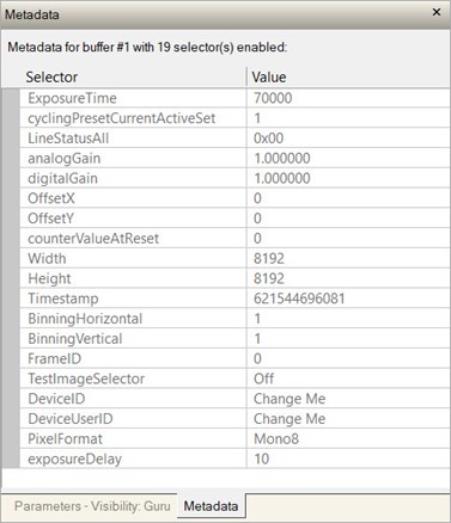
Sapera LT provides two methods to view metadata (SapMetadata class). Alternatively, the Sapera LT installation includes a demo program called GigEMetaDataDemo.exe, which will grab a number of frames and display the metadata or save it to a file (.csv). Source code and C++ project files are included for a console-based executable.
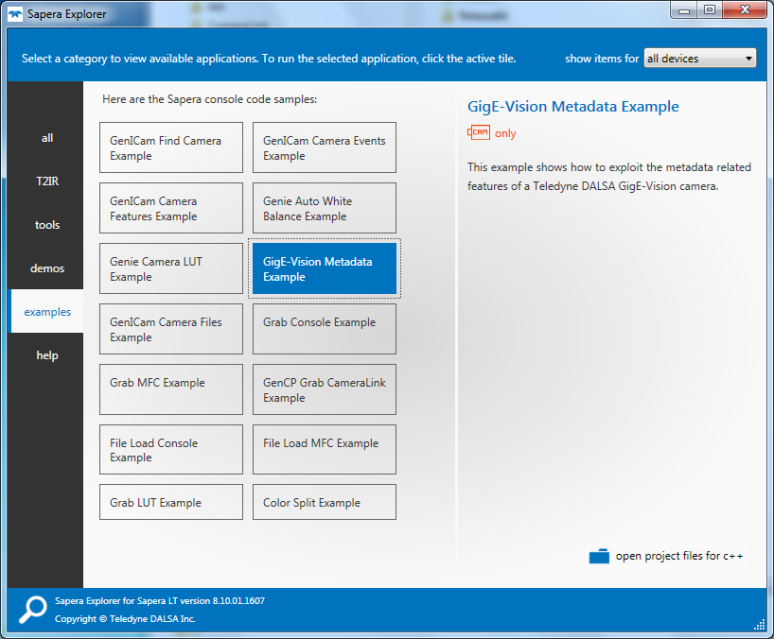
The following figure shows the Sapera Explorer tool screen with the Metadata Example highlighted.
|
NOTE |
|---|
|
When an internal Nano-10G Test Image is selected, the Metadata feature values for Exposure Time (ExposureTime) and Exposure Delay (exposureDelay) are not valid values and must be ignored. When in free running (not triggered) mode, the Metadata value for feature Exposure Delay (exposureDelay) is not a valid value and must be ignored. The value of LineStatusAll is updated on the start of exposure. |
|
Selector |
Description |
|---|---|
|
ExposureTime |
Returns the exposure time used to capture the image. |
|
cyclingPresetCurrentActiveSet |
Returns the index of the cycling preset used for this image. |
|
LineStatusAll |
Returns the status of all available line signals, when the image was exposed. The order is Line1, Line2, .... |
|
analogGain |
Returns the analog gain value used for the image included in the payload. |
|
digitalGain |
Returns the digital gain value used for the image included in the payload. |
|
OffsetX |
Horizontal offset from the sensor origin to the region of interest (in pixels). |
|
OffsetY |
Vertical offset from the sensor origin to the region of interest (in lines). |
|
counterValueAtReset |
Copies the value of the feature counterValueAtReset at the start of Frame Readout to the Metadata attached to the image. Supported only in GenAPI compatibility mode. |
|
Width |
Image Width (in pixels) included in the payload. |
|
Height |
Image Height (in lines) included in the payload. |
|
Timestamp |
Returns the 64-bit Timestamp value for the image included in the payload. |
|
BinningHorizontal |
Number of horizontal pixels to combine in the payload image. |
|
BinningVertical |
Number of vertical pixels to combine in the payload image. |
|
FrameID |
Corresponds to the request_id of an Action_CMD message. |
|
TestImageSelector |
The selected test image included in the payload. |
|
DeviceID |
Displays the factory set serial number of the device. |
|
DeviceUserID |
Returns the user-defined name of the camera. |
|
PixelFormat |
Pixel format of payload image. |
|
exposureDelay |
Specifies the delay in microseconds to apply after the FrameStart event, before starting the ExposureStart event. |
 ©
©