Open Source Software Licenses
The Sapera CamExpert File Access tool allows downloading the Open Source Software Licenses statement directly from the installed Nano-10G firmware.
-
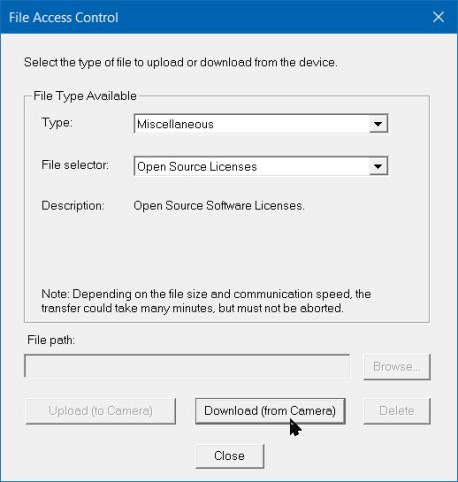
In the File Access Control category, click Setting next to Upload/Download File. The File Access Control dialog opens.
-
From the Type list, select Miscellaneous, and from the File Selector list, select Open Source Licenses.
-
Click Download (from Camera) and add file extension .txt.
 ©
©